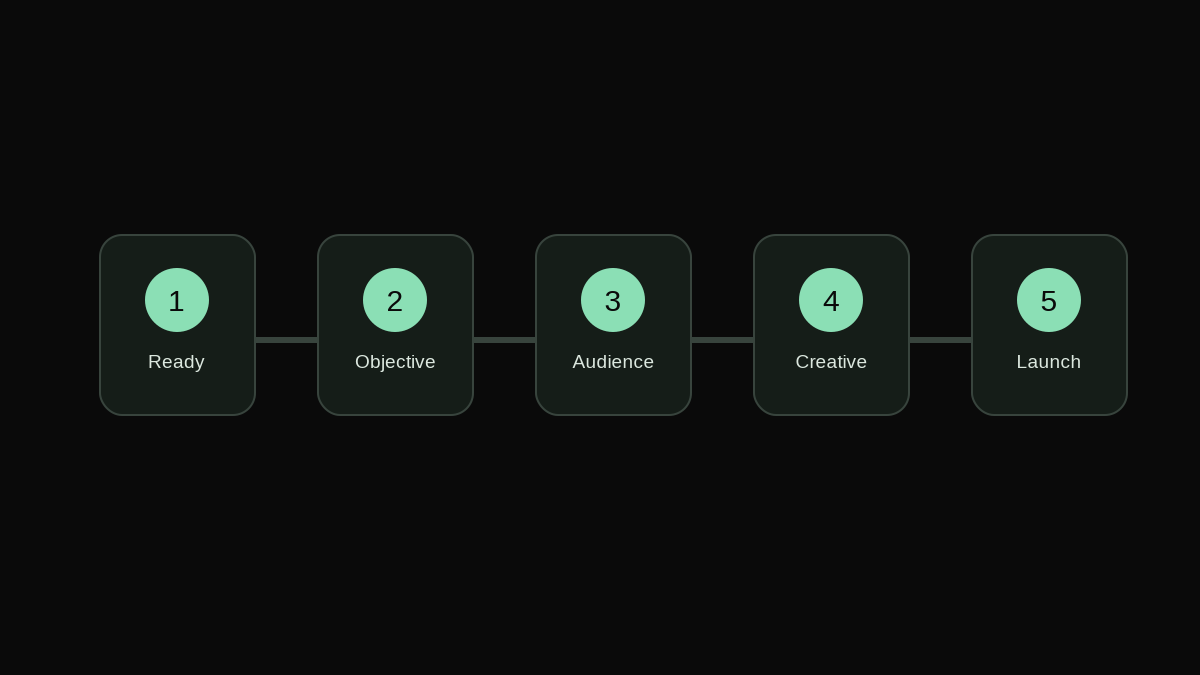
BIGO Ads is a mobile advertising platform that helps businesses promote their apps, websites, and products to audiences across different markets. With access to media platforms such as Likee and imo, advertisers can explore additional opportunities to reach mobile users and acquire new customers.
However, launching a successful BIGO Ads campaign involves more than creating an account and uploading an advertisement. Advertisers need to understand the platform's traffic sources, select the right campaign objectives, prepare compliant creatives, and configure conversion tracking.
In this guide, we will explain how BIGO Ads works, which industries can use the platform, and how to set up and optimize your first advertising campaign.
Key Features of BIGO Ads
Before investing in a new advertising channel, advertisers should understand where its traffic comes from, which markets it covers, and whether its audience matches their target customers.
1.1 BIGO Ads Traffic Sources
BIGO Ads connects advertisers with audiences across its media ecosystem, including Likee and imo.
These two platforms serve different user needs:
- Likee: A global short-video creation and sharing platform where users discover entertaining videos, follow creators, and interact with content.
Likee Website Traffic Distribution by Country (October 2026)

Source: Semrush
Likee Website Audience Demographics by Age and Gender (October 2026)

Source: Semrush
- imo: A communication application focused on instant messaging and voice and video calls, helping users stay connected with friends and family.
imo Website Traffic Distribution by Country (October 2026)

Source: Semrush
imo Website Audience Demographics by Age and Gender (October 2026)

Source: Semrush
For advertisers, these platforms offer different audience contexts. Likee provides opportunities to reach users who actively consume short-form video content, while imo offers access to audiences using communication services.
This distinction can help advertisers consider which products, messages, and creative formats are more relevant to their intended audiences.
1.2 BIGO Ads Geographic Coverage
Bigo Ads provides advertising coverage across multiple international markets, including South Asia, Southeast Asia, the Middle East and North Africa (MENA), the Commonwealth of Independent States (CIS), and parts of the Americas.
According to BIGO Ads' official target-country documentation, available markets include:
- South Asia: India, Bangladesh, Pakistan, Sri Lanka, and Nepal.
- Southeast Asia: Indonesia, Malaysia, and Thailand.
- MENA: Saudi Arabia, the United Arab Emirates, and Egypt.
- CIS: Russia, Kazakhstan, and Uzbekistan.
- Americas: Brazil and the United States.
Advertisers should confirm the availability of their target markets and any country-specific advertising restrictions before launching a campaign.
1.3 BIGO Ads Placements and Ad Formats
BIGO Ads offers a variety of advertising placements and formats across its media platforms, allowing advertisers to reach users at different stages of their in-app experience.
The main advertising placements and formats include:
- ChatList Ads: Ads displayed within the chat list, reaching users as they browse their conversations.
- End Call Ads: Ads displayed after users finish a voice or video call.
- App Open Ads: Ads displayed when users open an application, providing immediate brand exposure.
- In-Feed Ads: Ads integrated into the content feed, appearing alongside organic content as users scroll.
- Playable Ads: Interactive ads that allow users to experience a product or game before downloading it, making them particularly useful for mobile game advertisers.
BIGO Ads Placements and Advertising Formats

Source: BIGO Ads Official Website | Compiled by UriAgency
BIGO Ads also supports image and video creatives in horizontal, square, and vertical orientations, depending on the available advertising placements and campaign settings.
Advertisers should select placements and creative formats based on their campaign objectives, product characteristics, and target audience. For example, In-Feed Ads can showcase product features through short videos, while Playable Ads can help mobile game developers attract potential players through interactive experiences.
1.4 Audience Targeting Options
BIGO Ads provides several targeting options to help advertisers reach relevant users.
These include:
- Location: Select target countries and available geographic areas.
- Age and Gender: Define audience characteristics.
- Language: Target users based on available language settings.
- Device Targeting: Select operating systems, OS versions, carriers, device prices, and connection types.
- Custom Audiences: Include or exclude uploaded audience lists.
- Lookalike Audiences: Reach new users with characteristics similar to an existing audience.
What Marketing Solutions Does BIGO Ads Offer?
BIGO Ads supports different campaign objectives, allowing advertisers to optimize their campaigns according to their business goals.
Understanding these objectives is important because choosing the wrong one can lead to traffic that does not match the desired outcome.
2.1 Traffic Campaigns
Traffic campaigns are designed to drive visitors to websites and landing pages.
They are suitable for advertisers who want to increase website visits, introduce products, or generate initial interest in an offer.
For example, affiliate marketers can use traffic campaigns to direct users to promotional landing pages.
However, website visits alone do not guarantee conversions. Advertisers should also evaluate the quality of the incoming traffic.
2.2 App Install Campaigns
App Install campaigns help advertisers acquire new mobile app users.
This objective is particularly relevant to:
- Mobile game developers.
- Social networking applications.
- Utility app businesses.
- Entertainment and streaming applications.
Advertisers can optimize their campaigns around app installations and, with appropriate tracking integrations, evaluate subsequent in-app activities.
2.3 Conversion Campaigns
Conversion campaigns focus on valuable actions completed on a website.
Depending on the business model, these actions may include:
- Product purchases.
- User registrations.
- Form submissions.
- Button clicks.
- Adding products to a shopping cart.
This objective is useful for e-commerce businesses, lead generation companies, and performance marketers who measure campaign success through completed actions rather than clicks alone.
2.4 App Engagement Campaigns
App Engagement campaigns focus on users who have already installed an application.
Instead of acquiring entirely new users, advertisers can encourage existing users to return and complete specific actions.
For example, a gaming company may use re-engagement campaigns to encourage inactive players to return to a game.
2.5 Other Brand Marketing Solutions
Beyond standard performance objectives, BIGO Ads also offers brand-oriented advertising solutions.
For example:
- Hashtag Challenges: Campaigns designed to encourage user participation and increase brand visibility through content-related activities.
These solutions can be useful for brands seeking stronger engagement rather than focusing exclusively on direct-response conversions.
BIGO Ads Customized Advertising Solutions for Brand Awareness

Source: BIGO Ads Official Website | Compiled by UriAgency
Which Verticals Can Advertise on BIGO Ads?
BIGO Ads supports both app promotion and website advertising, creating opportunities for advertisers across different business categories.
Common potential use cases include:
3.1 Gaming
Mobile gaming is a relevant category for BIGO Ads, particularly for developers seeking new users.
Advertisers can promote casual games, mobile entertainment products, and other eligible gaming applications through App Install campaigns.
Playable Ads can also help users experience a game's features before downloading it.
3.2 E-commerce and Retail
E-commerce businesses can use BIGO Ads to promote individual products, online stores, and special offers.
Conversion campaigns can help advertisers measure actions such as product views, add-to-cart events, and completed purchases.
3.3 Social and Entertainment
Social networking applications, video platforms, and entertainment services can use app campaigns to acquire new users.
These businesses may also benefit from engagement-focused campaigns that encourage existing users to return.
3.4 Utilities and Software
Utility applications and software products can use BIGO Ads to attract users interested in practical digital services.
Examples include productivity applications, mobile tools, and other eligible software products.
3.5 Lead Generation and Other Verticals
Businesses offering eligible services can use website conversion campaigns to generate leads.
For example, advertisers can optimize campaigns for form submissions, consultation requests, and other measurable customer actions.
3.6 Restricted Industries and Advertising Policies
Not every product or service is automatically eligible for promotion.
BIGO Ads has advertising review rules covering both creative content and industry-specific requirements.
Advertisers should pay particular attention to:
- Gambling and real-money gaming restrictions.
- Medical products and services.
- Alcohol and tobacco advertising.
- Financial and cryptocurrency-related promotional claims.
- Content that makes misleading or exaggerated promises.
For example, BIGO Ads specifies additional requirements for real-money gaming advertisements targeting India, including responsible-play disclaimers and restrictions on depicting minors.
Nutra advertisers should also confirm whether their specific products, ingredients, claims, and target markets are eligible before launching campaigns.
Always check the latest advertising policies and obtain confirmation for restricted products before committing to an advertising budget.
What Do You Need Before Launching a BIGO Ads Campaign?
Preparing the necessary information and materials before registration can make the account setup process easier.
4.1 A BIGO Ads Business Center and Advertising Account
Advertisers need access to a BIGO Ads Business Center and an advertising account to manage campaigns.
The Business Center provides an environment for managing advertising assets and accounts.
4.2 Business Information and Verification Documents
Prepare the following information:
- Company name and business details.
- Promotional website or app link.
- Target countries.
- Advertising industry or category.
- Relevant business licenses or verification documents.
BIGO Ads reviews account information before allowing campaigns to launch. Incomplete verification may leave an account pending.
4.3 Website or App Landing Page
Prepare the destination users will visit after clicking your advertisement.
For website campaigns, make sure your landing page works properly on mobile devices and clearly explains the advertised product or service.
For app campaigns, prepare the relevant Google Play or Apple App Store link.
4.4 Advertising Creatives
Prepare your advertising materials in advance, including:
- Images or videos.
- Brand or app logo.
- Headlines.
- Primary text.
- Call-to-action (CTA).
All materials should comply with BIGO Ads' creative specifications and advertising policies.
4.5 Conversion Tracking Tools
If you want to measure campaign performance beyond clicks, prepare the necessary tracking tools.
Website advertisers can use BIGO Ads Pixel to track visitor activities and conversion events.
App advertisers can integrate a Mobile Measurement Partner (MMP), such as AppsFlyer or Adjust, to measure installations and in-app events.
How to Set Up BIGO Ads: Step by Step
Once your account information and advertising materials are ready, you can start creating your first campaign.
5.1 Create a BIGO Ads Business Center and Ad Account
First, register for access to BIGO Ads and create a Business Center.

Next, navigate to:
Business Center → Asset → Ad Account → Create Account

Complete the required information, including your company name, promotional link, target locations, advertising category, and relevant verification details.

Submit your information for review.
One important point: the promotional link used in your campaigns should match the link associated with your advertising account. Otherwise, you may encounter problems when launching campaigns.
Once the account has passed the required review and verification, you can access the advertising dashboard.

5.2 Choose Your Campaign Objective
Open the advertising dashboard and navigate to the Campaign section.

Create a new campaign and select the objective that matches your business goal.

Set a campaign name and configure the budget according to your advertising plan.
5.3 Configure Your Ad Group
After creating the campaign, move to the ad group level.
This is where you configure the main delivery settings.
Placement: Review the available advertising placements and select the options suitable for your campaign.
Promotion: Choose the website or application you want to advertise.

Audience: Set your target locations, age, gender, language, and other available targeting options.

Budget and Schedule: Define your daily or total budget, campaign start date, and delivery schedule.
Bidding Strategy: Select an available bidding model based on your campaign objective. BIGO Ads documentation describes CPC and oCPC bidding options.

For a first campaign, avoid adding too many audience restrictions. A broader initial audience can help the system collect data before you make more detailed adjustments.
5.4 Create and Upload Your Ads
Navigate to:
Ad Account Dashboard → Campaign → Ad → Create
Upload your advertising creatives and complete the required information.
Depending on your campaign, you can use horizontal, square, or vertical images and videos.

You can preview your advertisement before submitting it.
Make sure the creative accurately represents the product and that the destination page matches the advertisement.
5.5 Submit Your Campaign for Review
After completing the campaign settings and uploading your advertisements, submit them for review.
BIGO Ads manually reviews campaign materials, including:
- App store pages.
- Promotional URLs.
- Headlines and primary text.
- Images and videos.
- Logos and application icons.
According to its official review documentation, the normal review period is within one working day. However, this is an estimated timeframe rather than a guarantee of approval.
Once approved, your campaign can begin delivering advertisements.
Common Mistakes to Avoid When Running BIGO Ads
Even a correctly configured campaign can underperform if important details are overlooked.
Here are several mistakes advertisers should avoid:
- Launching Without Proper Tracking
Without conversion tracking, it becomes difficult to understand which campaigns generate actual business results.
- Overly Restrictive Targeting
Narrow targeting can limit available traffic and make it harder for campaigns to collect sufficient data.
- Using Non-Compliant Creatives
Advertisements that contain misleading claims, prohibited imagery, or restricted promotional content may be rejected or have limited delivery.
- Ignoring Landing Page Quality
A successful advertisement cannot compensate for a slow, confusing, or poorly designed landing page.
- Making Changes Without Enough Data
Frequent adjustments based on a small number of clicks or conversions can make it difficult to evaluate campaign performance accurately.
When Should You Work with a BIGO Ads Agency?
Setting up and managing BIGO Ads requires more than access to an advertising dashboard. Advertisers also need to understand account requirements, campaign configurations, tracking integrations, and advertising policies.
Working with an agency may be helpful if you:
- Need assistance obtaining BIGO Ads account access.
- Are unfamiliar with the account application and verification process.
- Require support with account management and campaign operations.
- Want professional assistance with advertising account-related issues.
When choosing a BIGO Ads agency, consider its experience with the platform, account access arrangements, billing transparency, service scope, and ongoing support.
An agency should clearly explain what it provides rather than making unrealistic promises about advertising performance.
UriAgency provides BIGO Ads agency account services for advertisers who need support accessing and managing the platform. If you are planning to launch or expand your BIGO Ads campaigns, you can explore UriAgency's services to discuss your advertising requirements.
Frequently Asked Questions
Can I Run Website Conversion Campaigns on BIGO Ads, or Is It Only for App Install Campaigns?
BIGO Ads supports both website and app promotion. Advertisers can use Conversion campaigns to optimize website actions such as registrations, purchases, and form submissions, rather than focusing exclusively on app installations.
Can I Choose Between Likee and imo Ad Placements?
Available placement options depend on the campaign and account configuration. Advertisers should check the placement settings in their BIGO Ads dashboard to confirm which options are available rather than assuming that every campaign can select each app independently.
Do I Need an MMP to Run BIGO Ads Campaigns?
Not necessarily. Website advertisers can use BIGO Ads Pixel to track website conversions. App advertisers who need installation attribution and in-app event tracking can integrate an MMP such as AppsFlyer or Adjust.
How Long Does BIGO Ads Ad Review Usually Take?
BIGO Ads states that campaign and creative reviews normally take within one working day. However, review times may vary depending on the submission time, market, and advertising materials.
Can I Advertise Gambling or Nutra Offers on BIGO Ads?
Eligibility depends on the specific product, target country, advertising content, and applicable platform policies. Gambling and real-money gaming advertisements may have additional restrictions. Nutra advertisers should also confirm product and health-claim eligibility before launching campaigns.
Why Are My BIGO Ads Campaigns Getting Clicks but Few Conversions?
This can happen for several reasons, including mismatched audience targeting, weak landing page performance, misleading creative expectations, or incorrect conversion tracking.
Check your tracking setup first, then evaluate the relationship between your advertisement, landing page, and target audience.
Conclusion
Setting up BIGO Ads involves several important steps, from understanding its audience and choosing campaign objectives to configuring targeting, preparing creatives, and implementing conversion tracking.
For advertisers considering BIGO Ads, the key is to match the platform's available audience and advertising solutions with their actual business goals. Start with a clearly defined campaign objective, ensure your tracking is working correctly, and use performance data to guide optimization.
If you need assistance with BIGO Ads account access and management, working with an experienced agency can help simplify the process and support your advertising operations.